Merge and split PDF files in a few clicks
WekApps PDF Merge & Split Pro is a lightweight Windows tool that combines and splits PDFs locally — no uploads, no ads, no Adobe required.
One tool for merging and splitting PDFs
PDF Merge & Split Pro does two jobs — combining files and pulling them apart — with a built-in reader and password support.
Merge PDFs
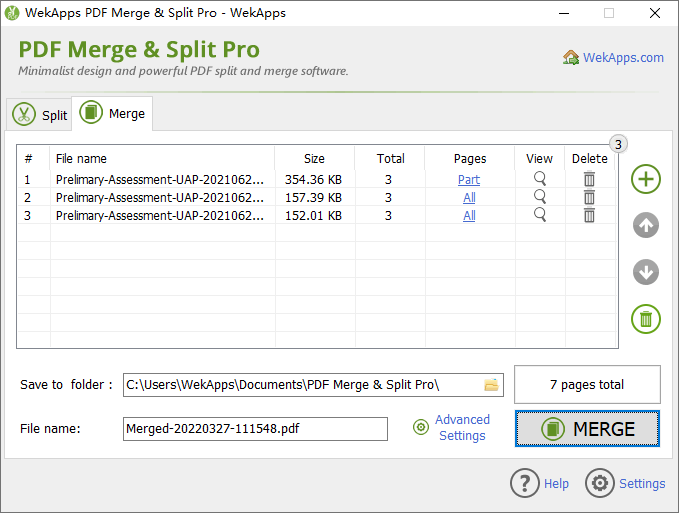
Combine multiple PDF files into one document and reorder them by dragging, or with up/down controls.
Split PDFs
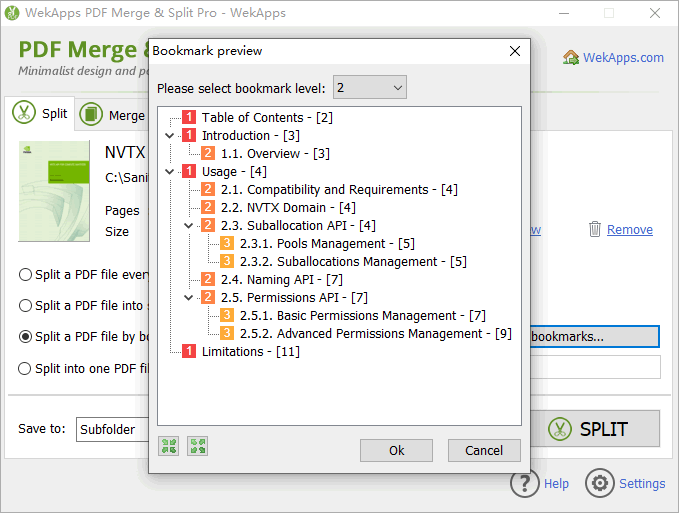
Split a PDF into single pages or multi-page files — by page range, by number of files, or by bookmark level.
Preview built-in
Check any page before you merge or split. No Adobe Acrobat or Reader needed — the viewer is included.
Everything you need to manage PDF files
Split methods
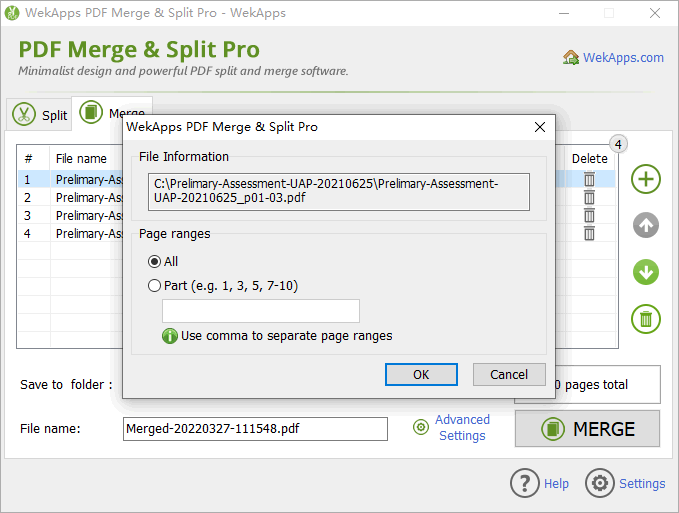
Single pages, equal parts, custom page ranges, or by bookmark level — pick any or combine them.
Password protected
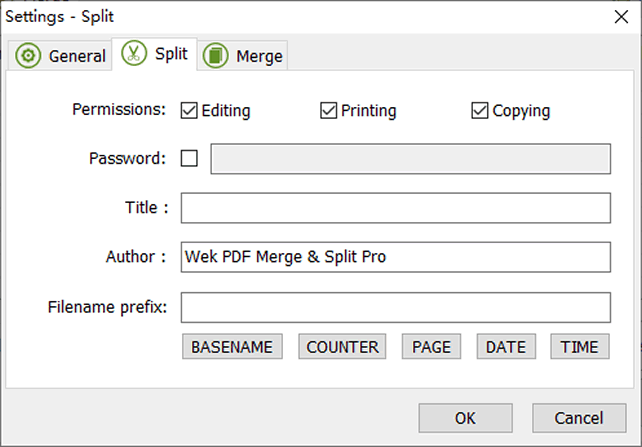
Open encrypted PDFs (with a valid password) and set open passwords on the files you output.
Permissions & metadata
Control print, edit and copy permissions, and set title / author metadata on split or merged PDFs.
Large files
Split and merge large PDF files without uploading them anywhere — everything runs on your computer.
Drag & drop
Add files by dragging them into the window, or use the file picker. Either way is fast.
Multilingual
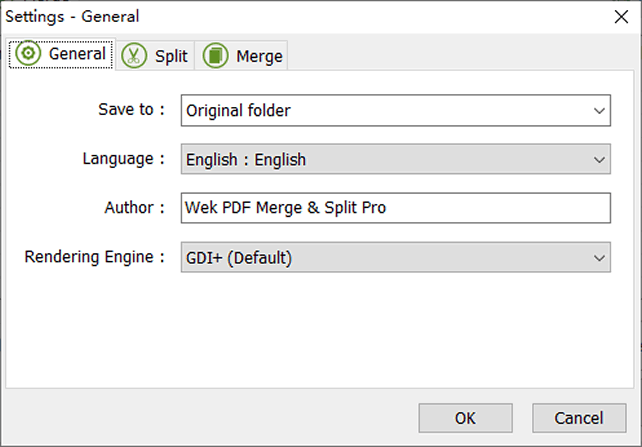
15+ interface languages, including English, German, French, Spanish, Japanese, and Chinese.
Merge or split in three steps
-
Download and open the program
Install PDF Merge & Split Pro, then launch it. No account or internet connection required.
-
Add your PDF files
Drag and drop files into the Merge or Split tab, or click “Add file”.
-
Choose options and process
Set your page ranges, order or split method, then click Merge or Split. Done.
See PDF Merge & Split Pro in action

Free to try. Pay once for Pro.
The free edition covers everyday tasks. Upgrade to Pro for unlimited files and advanced options.
| Feature | Free | Pro (lifetime) |
|---|---|---|
| Files per merge | Up to 3 | Unlimited |
| Pages per document when splitting | Up to 20 | Unlimited |
| Set an open password on output | — | ✓ |
| Set author / metadata | — | ✓ |
| Commercial use | — | ✓ |
| Lifetime license (2 computers) | — | ✓ |
| Price | Free | $29.95 $17.95 |
Quick answers
Is PDF Merge & Split Pro really offline?
Yes. Files are processed entirely on your Windows PC and are never uploaded to a server, which is why it also works without an internet connection.
Do I need Adobe Acrobat?
No. The program includes its own PDF rendering engine, so Adobe Acrobat or Reader is not required.
Can I split a PDF by page range or bookmarks?
Yes. You can split by single pages, equal parts, custom page ranges (e.g. “2, 5-7, 9”), or by bookmark level.
Ready to merge and split your PDFs?
Download the free version now — it takes less than a minute and works completely offline.
⬇ Download Free (9.47 MB) Other download options